Your Jellyfin server,
re-imagined for every screen
JellyPlay is a high-fidelity, open-source media player for Jellyfin. Built with Kotlin and Jetpack Compose, it features dynamic color theming, offline downloads, and multi-engine playback — on phones, tablets, foldables, Android TV & Fire TV, with a Windows desktop preview from the same shared codebase.
Everything you need to stream
A feature-rich Jellyfin experience crafted for every Android device — phones, tablets, foldables, and TV.
Multi-Engine Video
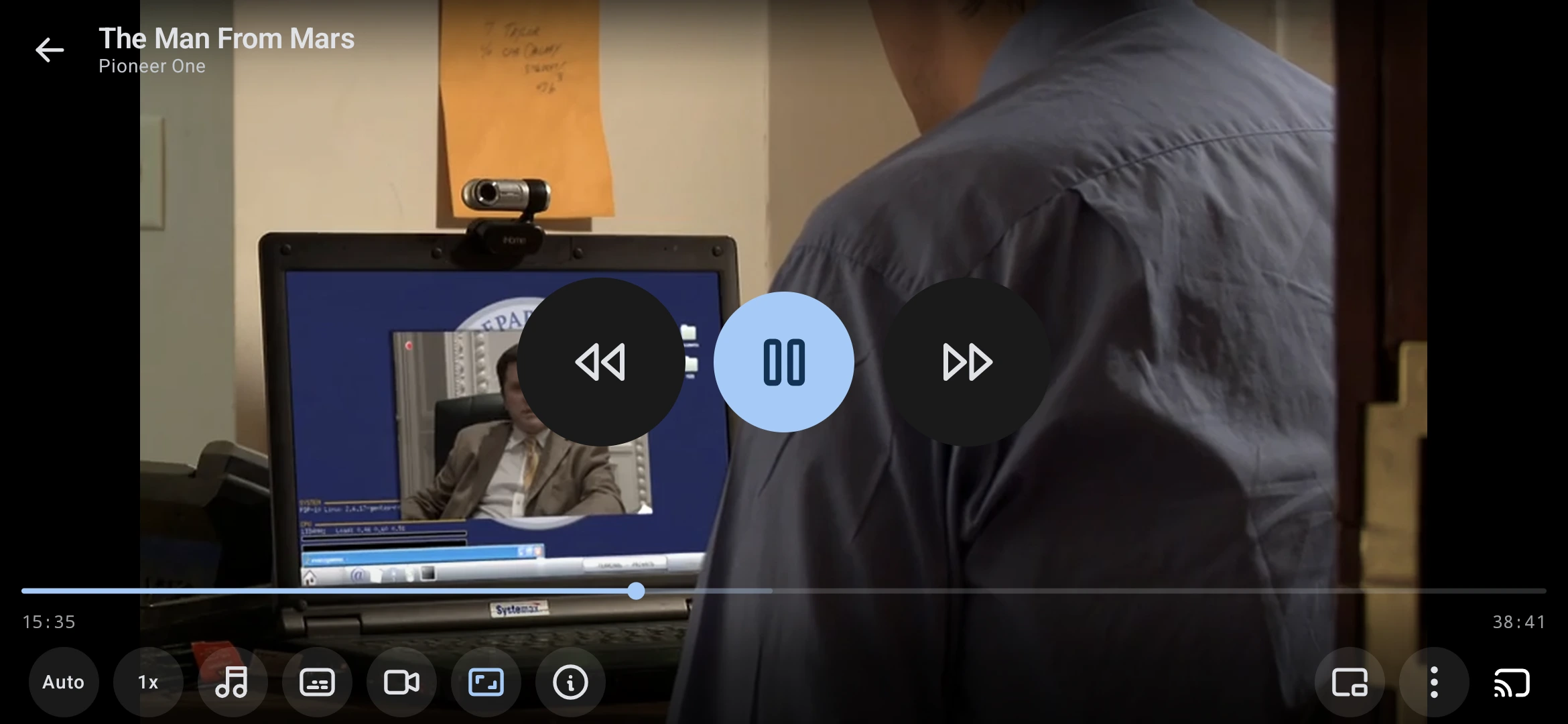
Three built-in players — ExoPlayer, libmpv, and LibVLC. HDR support, Chromecast, Picture-in-Picture, trickplay thumbnails, and gesture controls.
Rich Audio Player
Enjoy synced lyrics, a 10-band equalizer, ambient mode with animated color blobs, waveform seeking, and mood-based smart playlists.
Android TV Ready
Fully adaptive interface with D-pad navigation and Leanback launcher integration. Looks and feels great on your big screen.
SyncPlay Watch Parties
Watch together in perfect sync with real-time playback coordination, in-player group chat, and automatic speed/skip correction.
Offline & Sync
Take media offline with multi-connection downloads and HTTP Range resumption. A durable outbox syncs watch progress on reconnect.
Seerr Integration
Connect to Jellyseerr or Overseerr to discover trending content and request new movies & shows via Radarr/Sonarr — directly from the app.
Admin Dashboard
Monitor server health, manage active sessions, browse server logs, trigger scheduled tasks, and control your Jellyfin server from your phone.
Live TV & DVR
Browse live channels, view the electronic program guide (EPG), and manage DVR recordings — all from a clean, intuitive interface.
One app, every screen
A shared Kotlin Multiplatform core with native shells — stable on Android, preview on desktop.
Android
Phones, tablets, and foldables with adaptive Material 3 Expressive layouts, edge-to-edge immersion, widgets, shortcuts, and Picture-in-Picture. Requires Android 9.0 (API 28) or later.
Android TV & Fire TV
Dedicated TV flavor with a Leanback launcher, D-pad navigation, Watch Next rows, and a Daydream screensaver. Sideload-friendly APKs for Fire TV Stick, Cube, Shield, and Google TV.
Windows Desktop
Compose Multiplatform shell with bundled libmpv — browsing, search, details, music with the full effect stack, in-player video, keyboard media keys, and frame capture. Packaged MSI ships with releases when available.
Make it yours
8 theme variants, 9 accent swatches, 3 contrast levels, and OLED mode — 390+ settings in all. Tap a style to preview it live on this page, or open the palette in the nav bar for accents.
You are previewing Standard — your choice is saved on this device only.
Up and running in minutes
All you need is a Jellyfin server — the app handles the rest.
Install JellyPlay
Download the APK for your device — pick Universal if you are unsure of the architecture. TV users can sideload the TV build.
Sign in
Enter your server address or approve via Quick Connect, then pick a video engine. LAN/WAN failover keeps you connected at home and away.
A native client, not a web wrapper
How JellyPlay stacks up against the official Jellyfin clients (Android & Android TV).
| Capability | Official Jellyfin Clients | JellyPlay |
|---|---|---|
| Native UI Pure Kotlin & Jetpack Compose, no web wrappers | ||
| Playback engines Multi-pipeline video core switchable per device | ||
| Complex subtitles Styled ASS/SSA rendering without server transcoding | ||
| Adaptive form factors Single app for phone, tablet, foldable, and TV | ||
| Material You & Theming Dynamic palette extraction from poster artwork + OLED | ||
| Offline downloads WorkManager queue, HTTP Range, bundled trickplay & subs | ||
| Watch-progress sync Durable Room outbox auto-syncs progress on reconnect | ||
| Freshness resync SHA-256 signatures update assets without redownload | ||
| SyncPlay Synchronized watch parties with in-player chat & frame sync | ||
| Rich music player & DSP LRCLIB synced lyrics, 10-band equalizer, night mode & visualizer | ||
| Seerr & Arr integration Jellyseerr / Overseerr requests, Radarr/Sonarr queues & calendar | ||
| Server admin Monitor CPU/RAM, manage sessions, tasks & logs | ||
| Metadata editor Fix titles, posters, genres, tags, and external IDs | ||
| Desktop Windows preview from one shared codebase | ||
| Connection failover Seamless automatic switching between LAN and WAN/VPN URLs |
See it in action
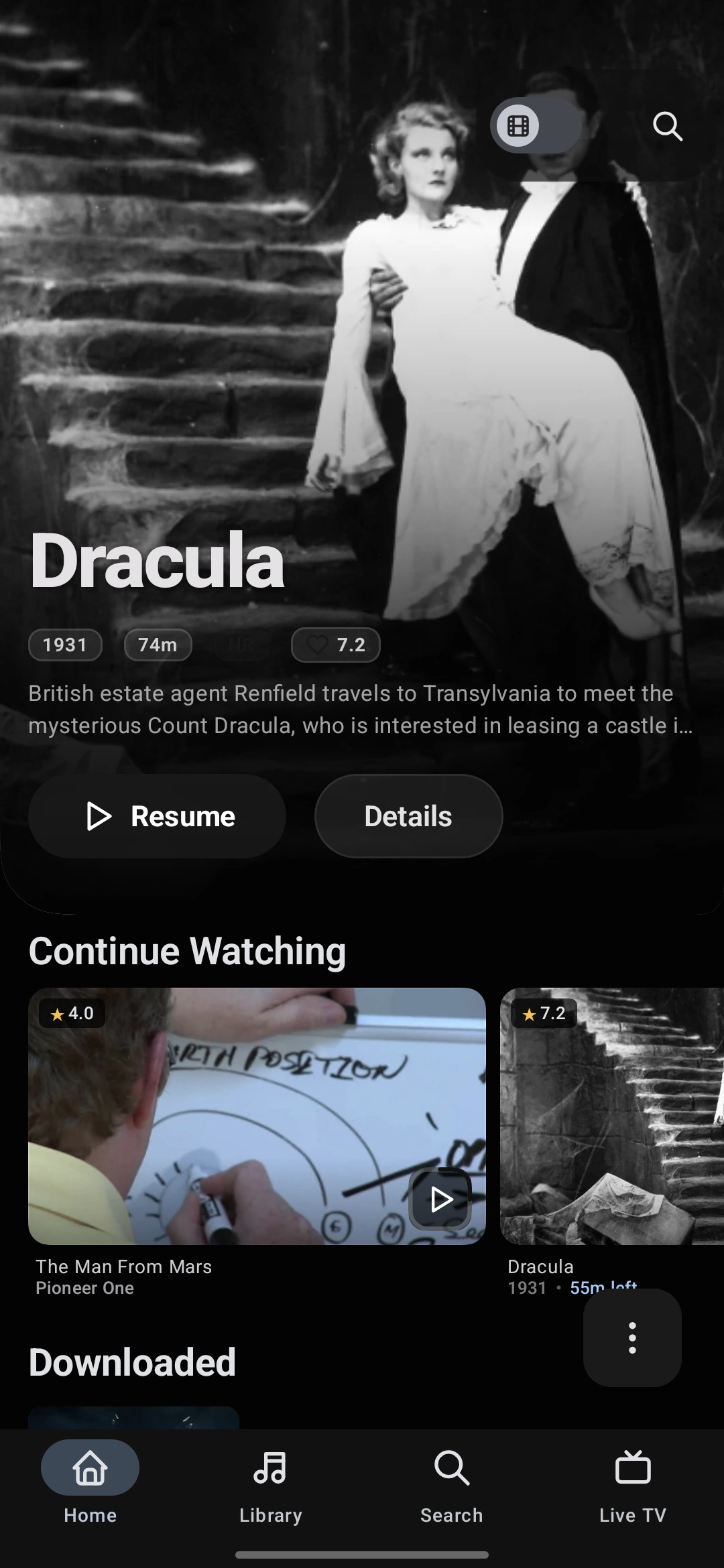
A beautifully crafted Material 3 interface with expressive animations and dynamic theming.
Home
Continue Watching, Next Up, and personal picks on a dynamic-themed home.
Built with modern tools
Leverages native Android Jetpack libraries and high-performance playback engines.
Frequently Asked Questions
Everything from server setup and supported devices to engines, downloads, and privacy.
JellyPlay is a free, open-source Jellyfin client for Android phones, tablets, foldables, Android TV, and Fire TV — with a Windows desktop preview. It is written natively in Kotlin and Jetpack Compose with Material 3 Expressive, not a web wrapper like the official Android app.
Yes. JellyPlay is licensed under the GNU GPL v3.0 — free to download, use, modify, and redistribute. No ads, no in-app purchases, no telemetry, and no accounts required.
Unlike the official client which acts as an HTML/Web wrapper, JellyPlay runs 100% natively on your device. This enables features like fluid Material 3 dynamic color generation, complex local SSA/ASS subtitle rendering using libmpv without server-side transcoding, and real-time gapless audio equalization.
JellyPlay includes three media pipelines. Use ExoPlayer for battery efficiency, HDR10+, and standard formats. Use libmpv if you stream heavy anime files requiring styled ASS subtitles or 10-bit color profile rendering. Use VLC as a backup pipeline for raw ISO file formats or legacy LAN streams.
Yes. Create or join a watch group, stay in real-time sync with friends, and use the in-player group chat. Server-time synchronization plus speed and skip-to-sync correction keep everyone in frame — try the interactive demo in the features section above.
Yes. Connect Jellyseerr or Overseerr to browse trending, popular, and upcoming content, request movies and shows via Radarr/Sonarr, and track request status with admin approve/decline actions — all without leaving the app.
JellyPlay features an enterprise-grade offline system powered by a custom WorkManager engine and OkHttp. It bundles not just media files, but all sibling assets — external subtitles, trickplay preview tiles, intro/outro markers, and rich metadata — into an offline-ready library. While offline, a durable playback outbox captures playback progress, stop events, and watched status, automatically syncing back to your Jellyfin server on reconnect with intelligent conflict reconciliation. It also includes selective freshness resync to update changed artwork or metadata without re-downloading videos.
Yes! JellyPlay compiles separate architectures specifically optimized for big screens. The TV builds feature a dedicated Leanback UI tailored for standard D-pad TV remotes, letting you navigate your movie library grids on Fire OS, Android TV, or Chromecast with Google TV without touch emulators.
A Windows desktop preview (Compose Multiplatform + bundled libmpv) already runs browsing, search, details, music, and in-player video — treat it as a preview, not a release. It ships from the same shared Kotlin codebase as the Android app; check the Platforms section above and the release notes for current status.
No. JellyPlay is fully self-hosted: no analytics, no tracking, no phone-home, no cloud dependency. Your library, server connection, and viewing history stay between you and your Jellyfin server. Optional PIN/biometric lock and Kids Mode keep shared devices safe.
Upgrade your Jellyfin experience
JellyPlay is developed entirely by volunteers. Download the stable installer package or view the source files on GitHub.